Save now. Come back Laytr.

A private inbox for everything you mean to return to. Save it from any app, say when you want it back, and it comes back — exactly then.

Not on the App Store yet

Laytr is finished and in release testing. This page is the product it describes — every claim on it is behaviour that already ships. When the App Store listing is live, the link appears here.

No account·No cloud·No ads·iPhone · iOS 17 or later

You save things all day. You find none of them again.

A link a friend sent. A recipe. A video you will watch properly later. A screenshot of the thing you need on Thursday. Every app has a “saved” folder and every one of them is a place things go quiet.

Laytr is the opposite arrangement. Saving is one gesture and it never waits. Filing is optional. And the part nobody else does — the coming back — is the whole product.

It comes back when you said.

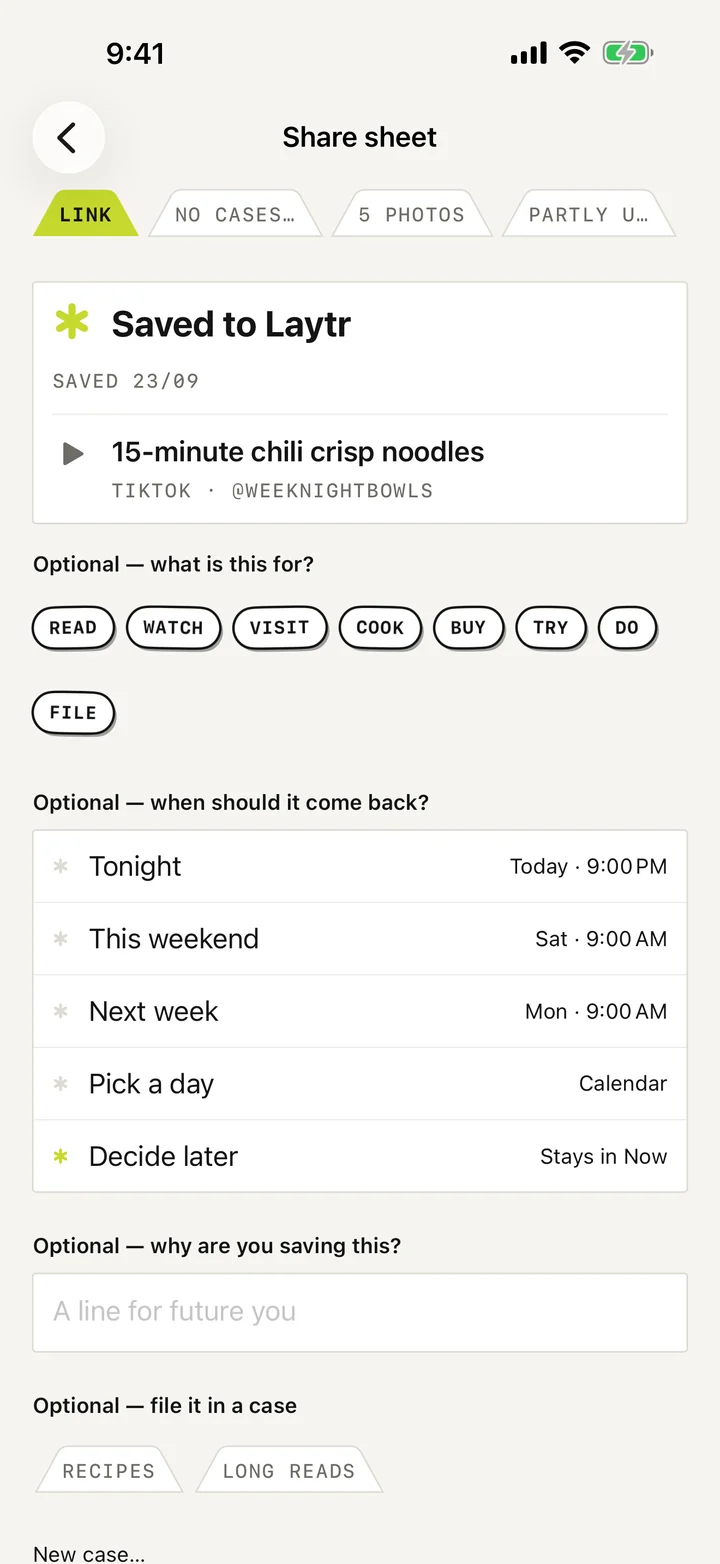
Named moments first, calendar second. Every choice shows the real time it means before you commit, and the item returns then — staged at the top of your Inbox, not buried in a list.

“Not now” ranks equal to “Done”. There are no streaks, no overdue red, and no counts of shame anywhere in Laytr.

  • Tonight Today · 9:00 PM
  • This weekend Sat · 9:00 AM
  • Next week Mon · 9:00 AM
  • Pick a date Any day, any time
  • Someday No date · never lost

The same times Laytr would give you

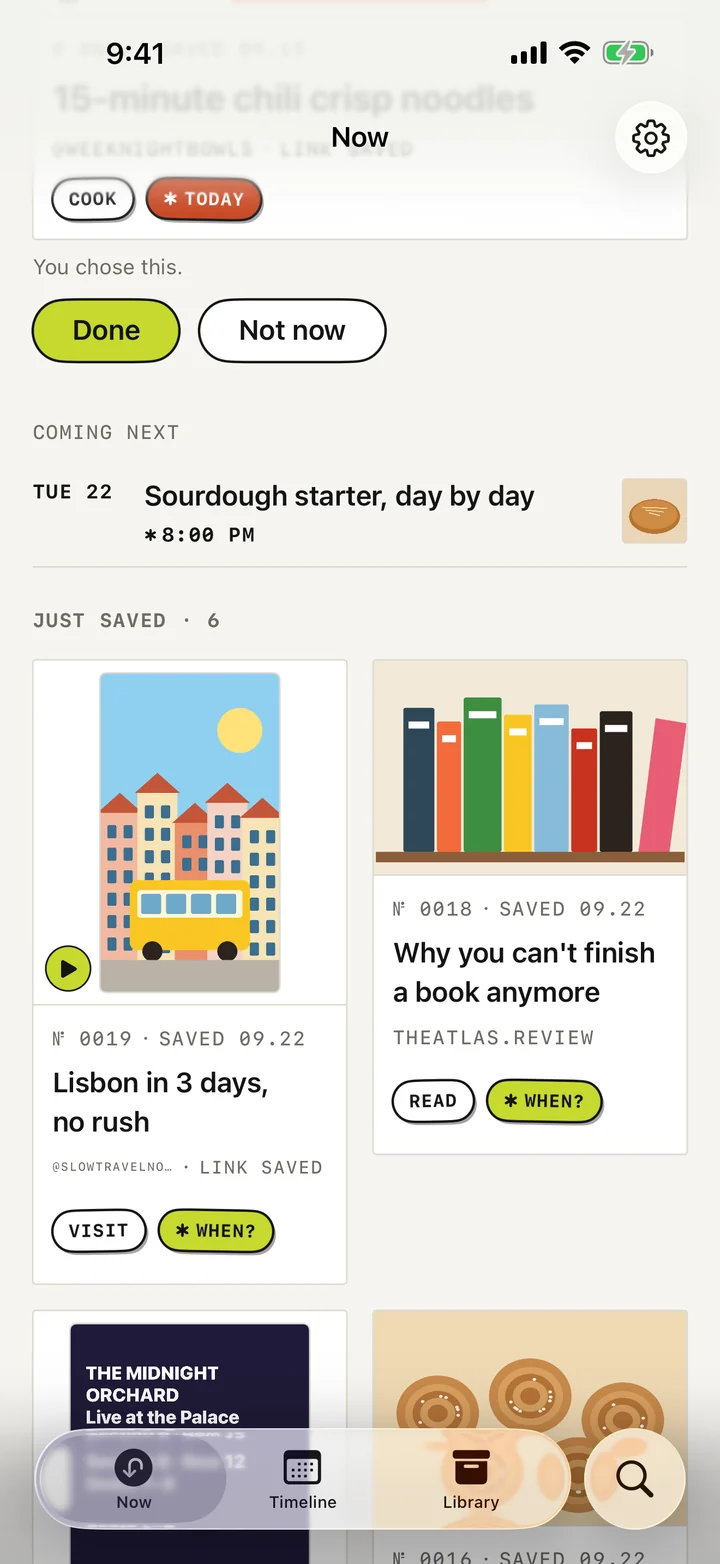
Four surfaces. Everything you saved, one tap deep.

Inbox Later Library Search
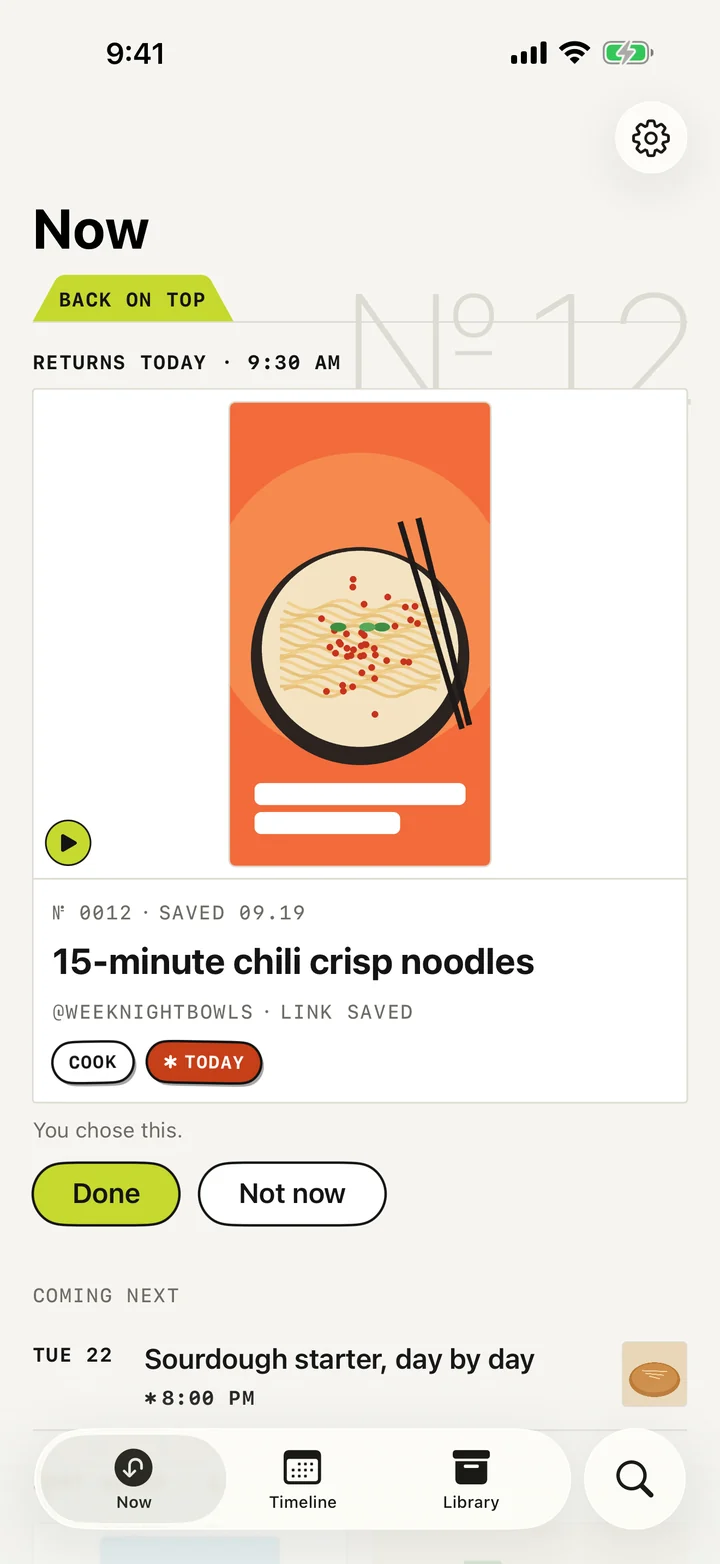
The Laytr Inbox. A returned item is staged at the top under a BACK ON TOP tab, with the line RETURNS TODAY 9:30 AM, above a grid of saved cards.

№ 01 · Inbox

A return arrives staged, not buried.

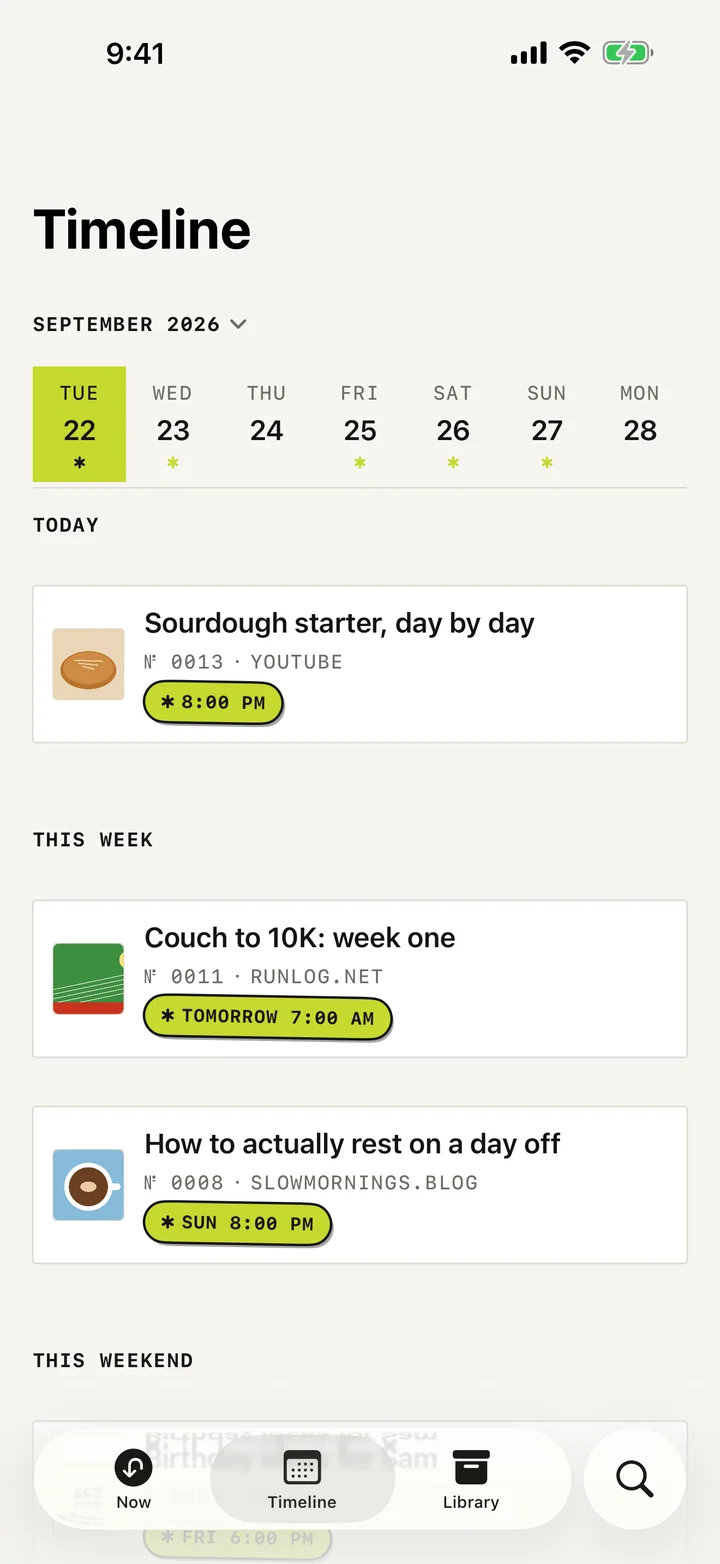
The Later ledger, grouped under stamped headings such as NEXT WEEK and SOMEDAY, each row showing the concrete time it returns.

№ 02 · Later

Every promise you made, in order.

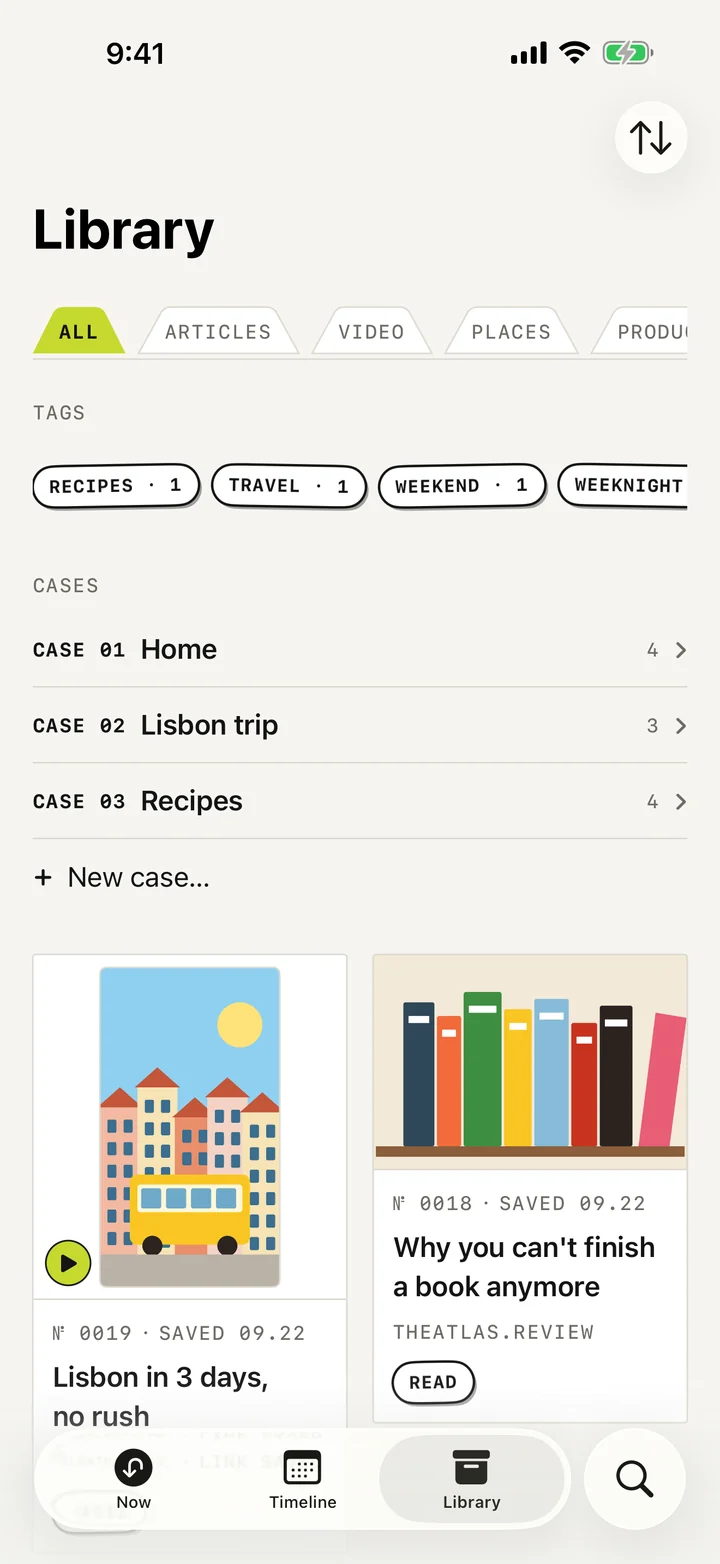
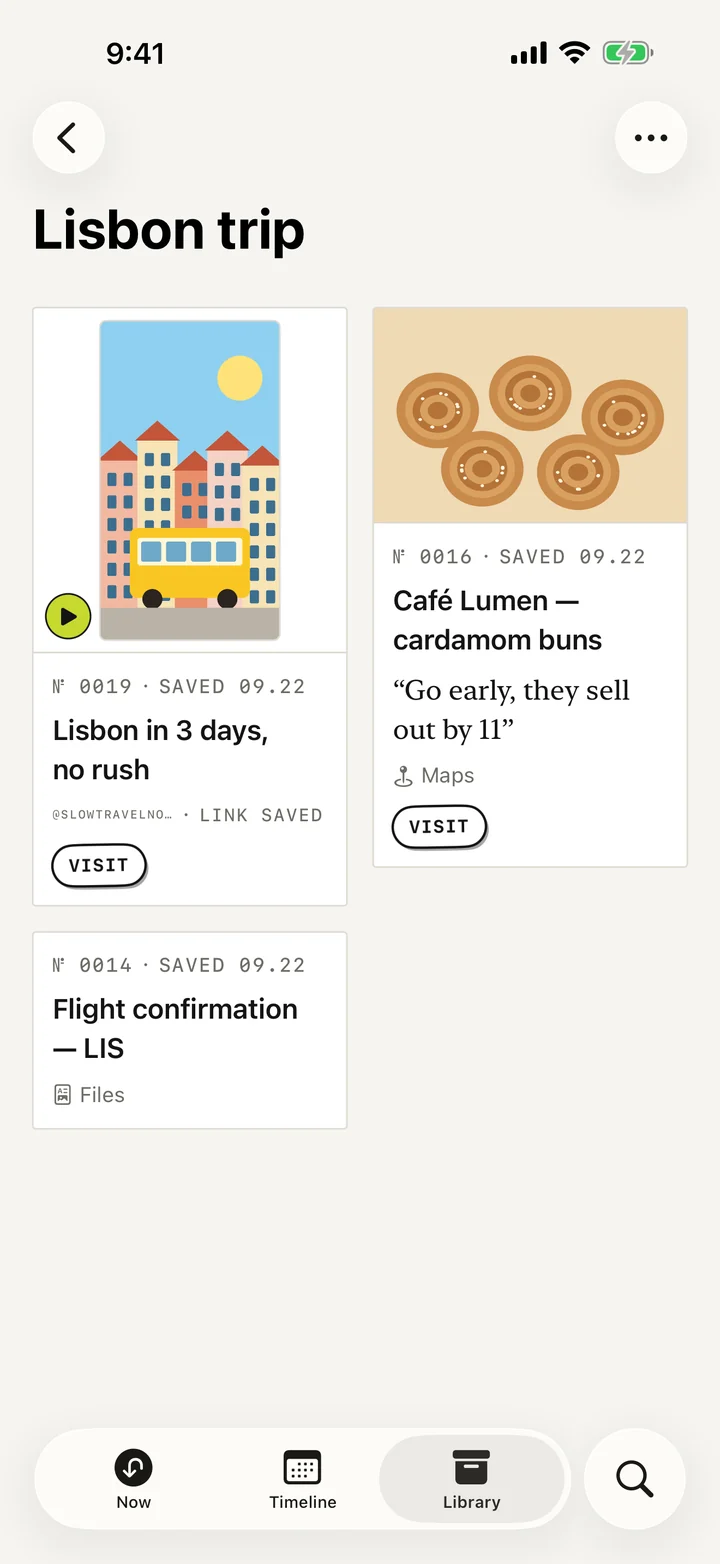
The Laytr Library: filter tabs across the top, tag chips with live counts, numbered cases, and a grid of saved cards of different kinds.

№ 03 · Library

Links, articles, videos, places, products, PDFs, screenshots.

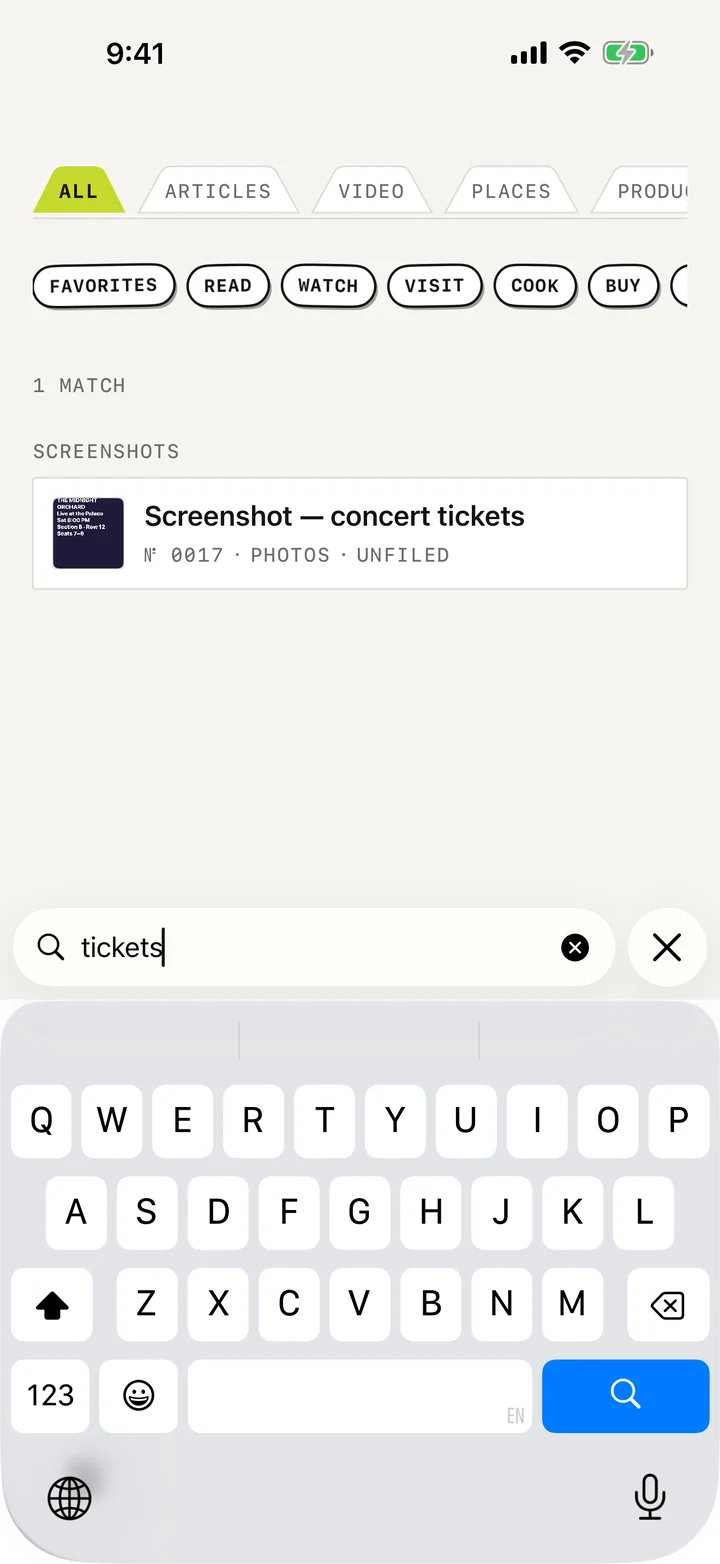
Laytr search for the word noodles, showing kind and intent filter chips and one matching saved video result.

№ 04 · Search

Reads inside articles, notes, tags — and your screenshots.

A saved item's detail page, showing the accession line, intent and schedule stickers, the stored file with its size, a note field, tags, case and source.

№ 05 · Item

Stored on this phone. The size is right there.

The Laytr reader showing a saved article as clean serif text with headings and a pull quote, with a text size control in the top bar.

№ 06 · Reader

A copy you own, that opens with no signal.

Share sheet in. Two taps. Done.

Safari, Photos, Files, Maps, YouTube, TikTok, Instagram — any app with a share sheet. Links, articles, videos, places, products, PDFs, images and screenshots each get their own kind of card.

The save finishes before the sheet settles. If you want to say what it is for, or when you want it back, that is an optional second beat.

Read Watch Visit Cook Buy Try

Reads offline, forever

Articles are preserved as clean text with their images, stored on your phone. Three page themes, serif or sans, your text size, your place remembered. It is not a link. It is a copy you own.

Search looks inside

Titles, sources, your own notes, tags, the full text of saved articles, and the words inside your screenshots — read on-device by Apple Vision. The images never leave the phone.

Bring your archive

Import what you already have from Pocket, Instapaper or Omnivore. Files are recognised by their contents, never by their extension, and re-running an import never duplicates anything.

Everything lives on this phone.

No account. No sign-in. No Laytr server, because there isn’t one. Nothing you save is uploaded, scanned, profiled or sold, and there is nobody to sell it to. Turn on Airplane Mode and Laytr works the same.

There is no analytics SDK reporting anything in the shipped build, and no advertising SDK at all. The two optional diagnostics switches in Settings are off by default and inert without provider configuration.

Read the full privacy policy

What never leaves your device

  • Everything you save — links, articles, files, images
  • The text Laytr reads out of your screenshots
  • Your notes, tags, cases and favourites
  • Every search you type
  • When things return, and what you did with them

Outbound requests go only to the sites you saved, to fetch that page’s own text and pictures. Laytr never downloads protected platform video, and never touches a login-walled site at all.

Free holds 50 saves. Patron removes the limit.

That is the only difference between them. Choose the shape that suits you — monthly, yearly, or once and never again.

Free

$0

up to 50 saves

Reading, search, organising and export are never limited.

Monthly

$1.99

per month

Renews monthly until cancelled.

Best value

Annual

$14.99

per year

Renews yearly until cancelled.

Lifetime

$39.99

once

One payment. No renewal.

Prices are U.S. dollars. Your local price is set by the App Store and shown before you buy.

Free and Patron, side by side
Capability Free Patron
Saving new items Up to 50 Unlimited
Reading, offline articles, the reader Yes Yes
Search, tags, cases, filters Yes Yes
Returns and reminders Yes Yes
Export your whole archive Yes, always free Yes, always free
Import from Pocket, Instapaper, Omnivore Yes Yes

Promise one

Cancelling never deletes, hides or locks anything.

A lapsed Patron keeps every save, keeps reading, keeps searching, keeps exporting. The only thing that stops is adding new ones, until you are back under 50 or back on a plan. There is deliberately no code path in Laytr from what you paid to what you can read.

Promise two

Export is never behind the paywall.

One ZIP with readable Markdown and HTML, every note, tag, date and case, your preserved articles, and your original files byte for byte. Free, on any plan or none. And restoring a Laytr export is exempt from the free limit — an export you cannot restore is not ownership.

What Laytr deliberately does not do.

Most of these are boundaries, not gaps. They are here because you should know them before you install, not after.

The full list, with reasons

  • No sync between devicesiPhone only, one device
  • No AI, summaries or auto-taggingNot in version 1
  • No downloading platform videoSaved as a link
  • No paywall bypassingEver
  • No feed, discovery or recommendationsYour archive only
  • No iPad or Mac appNot yet

Save now.
Come back Laytr.

Not on the App Store yet

Laytr is finished and in release testing. This page is the product it describes — every claim on it is behaviour that already ships. When the App Store listing is live, the link appears here.